




WhatsApp is one of the most popular messaging applications in the world, allowing users to communicate with friends, family, and colleagues through the internet. Owned by Meta, WhatsApp provides a simple and convenient platform for sending messages, making voice and video calls, and sharing multimedia content.
Available for Android, iOS, Windows, Mac, and web browsers, WhatsApp has become an essential communication tool for millions of people worldwide. Its user-friendly interface, reliable messaging system, and privacy features make it suitable for both personal and professional communication.
Key Features of WhatsApp
1. Instant Messaging
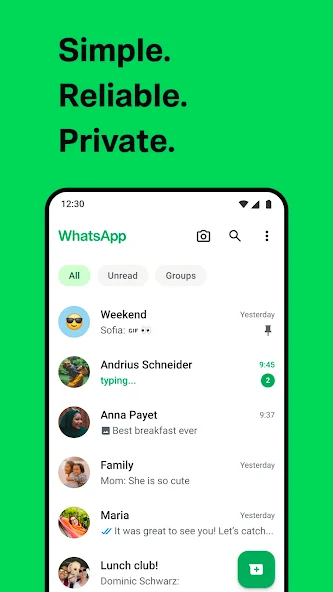
WhatsApp allows users to send and receive text messages instantly using an internet connection. Users can also share emojis, stickers, GIFs, and voice messages to make conversations more engaging.
2. Voice and Video Calls
The application supports high-quality voice and video calls, enabling users to communicate with people worldwide without traditional international calling charges. However, mobile data charges may apply.
3. Group Chats
WhatsApp groups allow multiple participants to communicate in one conversation. This feature is particularly useful for families, businesses, educational institutions, and community organizations.
Group administrators can manage participants, control permissions, and share important announcements.
4. Media and Document Sharing
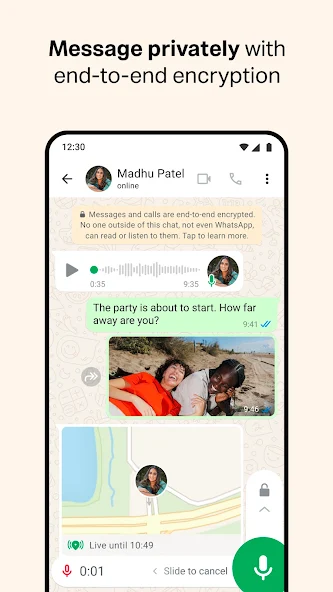
Users can easily share photos, videos, documents, contacts, and locations. WhatsApp supports various file formats, making it convenient for exchanging personal and professional information.
5. WhatsApp Status
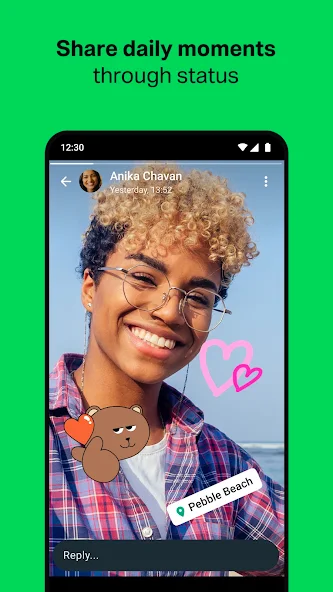
The Status feature allows users to share photos, videos, and text updates that automatically disappear after 24 hours. Users can customize their privacy settings to control who can view their updates.
WhatsApp Privacy and Security
Privacy is an important aspect of WhatsApp. The application uses end-to-end encryption for personal messages and calls, meaning only the communicating participants can access their contents.
Additional security features include two-step verification, biometric app locking on supported devices, disappearing messages, and chat locking.
Users can also control who sees their profile picture, last-seen information, online status, and personal details.
WhatsApp Business
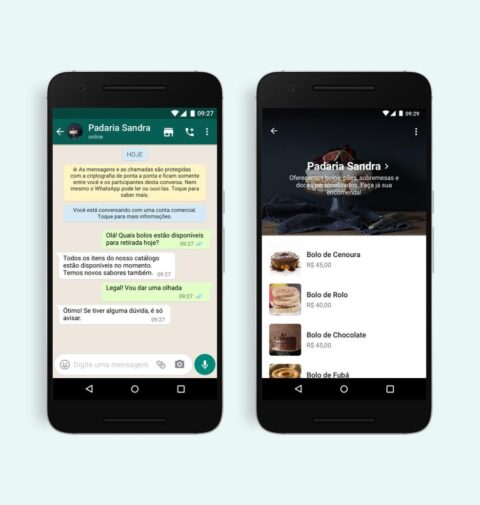
WhatsApp Business is designed specifically for small and medium-sized businesses. It helps companies communicate with customers, display products, and manage inquiries efficiently.
Important business features include automated greeting messages, quick replies, business profiles, product catalogs, and customer conversation labels.
These tools help businesses improve customer service and maintain professional communication.
Benefits of Using WhatsApp
WhatsApp offers several advantages over traditional communication methods:
-
Free messaging and internet-based calling.
-
Easy sharing of multimedia files and documents.
-
Convenient group communication.
-
Cross-platform availability.
-
End-to-end encryption for personal conversations.
-
Useful tools for business communication.
The application also provides WhatsApp Web and desktop versions, allowing users to access conversations directly from their computers.
How to Download WhatsApp
WhatsApp can be downloaded from official application stores and its website.
Android users can install the application through the Google Play Store, while iPhone users can download it from the Apple App Store.
For desktop access, users can visit the official WhatsApp website.
Official website: https://www.whatsapp.com/download
After installation, users can register their phone number, complete verification, and start communicating.
Conclusion
WhatsApp has transformed modern communication by providing a convenient platform for messaging, calling, and sharing information. Its combination of accessibility, security, and advanced features makes it useful for individuals and businesses alike.
Whether communicating with loved ones, managing professional conversations, or sharing important updates, WhatsApp remains a practical and widely used messaging application.
